Open source · Claude Code · MCP

Loupe

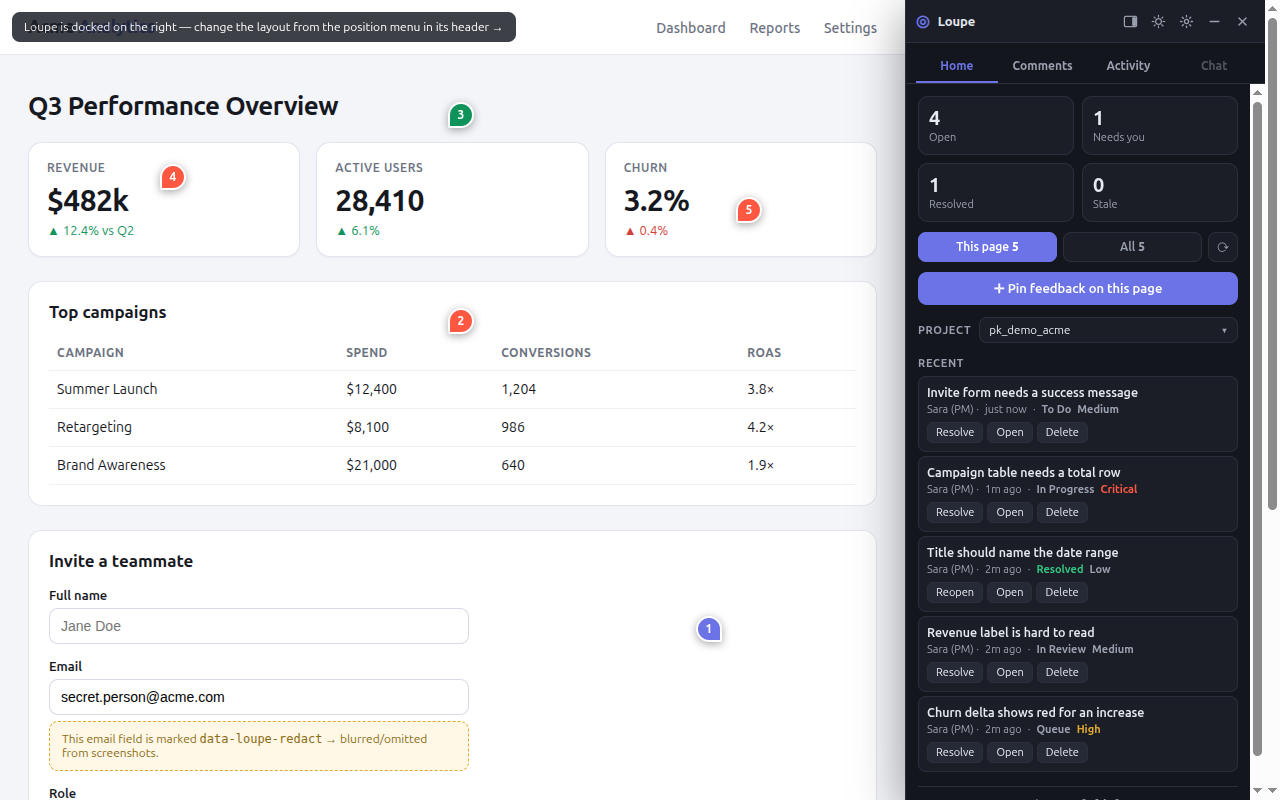
Pin feedback to the live UI — inspect any element, drop a comment, capture a screenshot — then hand it to Claude Code as an actionable backlog. Comments persist and re-anchor across redeploys.

$ npm install @loupekit/sdk
View on GitHub Documentation Get started
The Loupe triage board: a three-column Kanban of pinned product feedback with screenshots, element selectors, and status.
What you get

Built like a product, not a prototype.

An SDK, a backend, a triage board, an MCP server, and a browser extension — all open source, all TypeScript.

Feedback that carries its context all the way to code — element HTML, computed styles, and a screenshot.

How it works

Element inspector

Click any element; comments anchor to the DOM, not to pixels — inside a Shadow DOM, so no CSS leaks.

Survives redeploys

A multi-signal fingerprint re-anchors each pin when the markup changes.

Screenshots to storage

Images go to object storage; comments carry a URL, so reads stay fast.

MCP for Claude Code

Comments become a task backlog an AI agent can list, read, and resolve — with full element context.

Real auth

Per-project secrets, HMAC-signed identity.

Browser extension

Inspect and comment on any site with pixel-perfect capture — no install needed on the target.

How it works

From a pin to a shipped change.

01

Inspect & comment

A PM clicks an element on the live product and writes what should change. Loupe captures a screenshot, the element's HTML, its styles, and a robust anchor.

02

Store

It persists to your project — Postgres-backed, screenshots in object storage. The pin re-anchors even after you redeploy.

03

Triage

See every comment on a Kanban board: open, in progress, done — with screenshots and the exact selector.

04

Ship with Claude

Claude Code reads the backlog over MCP with full context, makes the change, and marks it done — closing the loop back to the PM.

Read the docs

Everything, documented.